
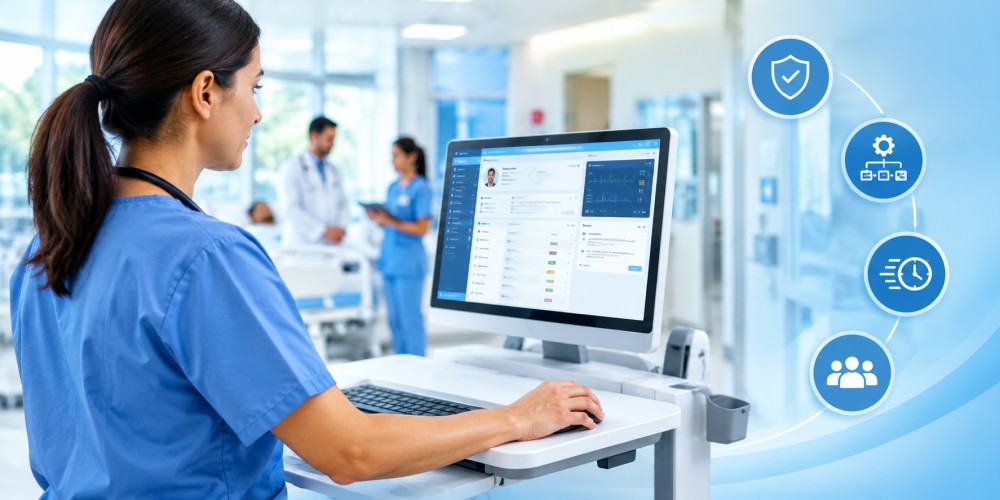
Clinical computers influence far more than documentation speed. In exam rooms, nursing stations, imaging areas, and medication preparation spaces, the right equipment can reduce interruptions, support cleaner work areas, and help staff access patient information without unnecessary delays. For practice owners and healthcare administrators, selecting reliable medical computers is an operational decision tied to patient safety, staff efficiency, and long-term technology costs.
A standard office computer may not be designed for the demands of a clinical environment. Healthcare equipment must often withstand frequent cleaning, extended daily use, limited workspace, and interaction with electronic health records, diagnostic devices, barcode scanners, and other peripherals. Choosing equipment around those realities helps practices build workflows that work consistently during busy clinic days—not only during a product demonstration.
Match the Computer to the Clinical Setting
A computer used in a primary care exam room faces different demands than one installed at a hospital medication station or mobile treatment cart. Before comparing specifications, identify where the device will be used and what staff must accomplish there.
Consider space, movement, and infection control
Wall-mounted or compact systems can help preserve room space and reduce cable clutter around exam tables. In a treatment area, a mobile workstation may be more practical if nurses regularly move between patients. Devices placed near patients should also have surfaces and enclosures that can tolerate routine disinfection without premature wear.
Cleanability is especially important during seasonal surges. Flu season, respiratory illness outbreaks, and periods of higher patient volume place additional pressure on staff to disinfect shared equipment quickly. A computer that is difficult to wipe down can create delays or encourage inconsistent cleaning practices.
Plan around the full workflow
A device should support the tasks staff perform at the point of care. That may include reviewing histories, entering orders, documenting vital signs, scanning patient wristbands, viewing images, or communicating with another department. Adequate processing power, screen visibility, connectivity, and port availability all matter when several applications must work together.
Display configuration deserves attention as well. A larger or dual-screen setup may allow clinicians to review a patient chart while documenting an encounter, reducing repeated navigation and minimizing the chance of overlooking information. In smaller rooms, a compact display with adjustable positioning may provide a better balance between visibility and usable workspace.
Evaluate Reliability Beyond the Purchase Price
The least expensive computer is not always the lowest-cost option. Equipment failures can interrupt appointments, delay documentation, and force staff to share backup devices. For a busy outpatient practice, even a short outage can create a backlog that extends into the rest of the day.
When reviewing medical PC solutions, consider the expected service life, warranty coverage, replacement process, and compatibility with the practice’s existing systems. A reliable device may cost more initially but reduce service calls, emergency replacements, and productivity losses over several years.
Review security and manageability
Clinical computers should fit within the organization’s security policies. Administrators should evaluate support for current operating systems, user authentication, encrypted storage, automatic updates, and access controls. The equipment should also work with the practice’s endpoint management tools so IT staff can monitor devices and apply changes without disrupting patient care.
Physical placement matters too. Computers should be positioned so visitors cannot easily view protected information, while clinicians can maintain appropriate awareness of the room. Privacy screens, adjustable mounts, and sensible cable management can support both confidentiality and staff comfort.
Include the people who use the equipment
Doctors, nurses, medical assistants, and IT personnel often notice different problems. A clinician may prioritize screen readability and quick chart access, while a nurse may focus on scanner compatibility and easy cleaning. Facilities staff may identify mounting or power limitations that are not obvious during an office-based evaluation.
Testing equipment in a representative exam room or work area can reveal practical issues before a larger purchase. Measure available space, check viewing angles under clinical lighting, test peripherals, and observe how quickly users can complete common documentation tasks.
Build a Sustainable Technology Plan
Medical computers should be selected as part of a broader workflow plan rather than as isolated hardware purchases. Establish standard device types for exam rooms, mobile carts, check-in areas, and administrative workstations where possible. Standardization simplifies training, support, accessories, and future replacements.
A phased replacement schedule can also help prevent widespread failures. Replacing equipment before it reaches the end of its useful life gives administrators time to budget, test newer models, and migrate users without disrupting every department at once.
For business owners, the practical goal is clear: choose clinical computers that remain dependable through long shifts, cleaning cycles, seasonal demand, and evolving software requirements. When equipment supports the way healthcare teams actually work, safer documentation and more efficient patient care become easier to maintain.