






















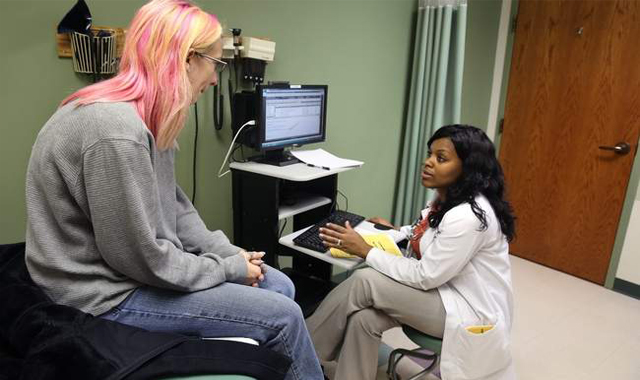
I’m an RN and have taught electronic documentation to clinicians for many years. Since almost every RN is documenting at least part of a patient’s medical record electronically these days, a not-so-pleasant doctor’s appointment recently gave me a very personal reminder of the importance of enhancing the patient experience when documenting in an EMR. Here are my top 3 tips—
- Engage with your patient, not the computer. When the patient comes into the exam room and when you’re asking the patient questions about medical history, look at your patient. Try to read the question in your head or review the questions prior to the patient coming into the room and then “talk” with your patient. My recent doctor’s visit was for a pre-surgical evaluation, so I was nervous, and I think that’s typical of many patients. Anything you can do to make more eye contact while you document will help put your patients more at ease.
- Remember that medical history can change quickly. Use each patient’s visit as an opportunity to verify data. Copying and pasting information from a past visit would be faster, but the patient might see what you’re doing and feel like you’re trying to move on too quickly. And you could miss an important health change that you need to document.
- Treat your computer as an instrument of care. Place yourself and the computer in a good location so you can still look at your patient while you work on the computer. Also, remember that the computer in the room may be new for some patients, so a quick review of what you are doing can go a long way toward making the patient feel more relaxed.
The EMR is a tool to help your workflow, not hinder the relationship with your patient. At GE Healthcare, we work with our customers to help assure our electronic documentation system works with your workflow, not the opposite. Our educators are nurses just like you and I, and we know that the computer is not a replacement for your main critical assessment tools—observation and assessment!


