






























Events Calendar

Mon
Tue
Wed
Thu
Fri
Sat
Sun
M
T
W
T
F
S
S
1
2
3
4
5
6
7
8
10
11
12
13
14
15
16
19
11:00 AM - Charmalot 2025
20
21
22
23
24
25
26
27
29
1
2
3
4
5
Oracle Health and Life Sciences Summit 2025
2025-09-09 - 2025-09-11    
12:00 am
The largest gathering of Oracle Health (Formerly Cerner) users. It seems like Oracle Health has learned that it’s not enough for healthcare users to be [...]
MEDITECH Live 2025
2025-09-17 - 2025-09-19    
8:00 am - 4:30 pm
This is the MEDITECH user conference hosted at the amazing MEDITECH conference venue in Foxborough (just outside Boston). We’ll be covering all of the latest [...]
AI Leadership Strategy Summit
2025-09-18 - 2025-09-19    
12:00 am
AI is reshaping healthcare, but for executive leaders, adoption is only part of the equation. Success also requires making informed investments, establishing strong governance, and [...]
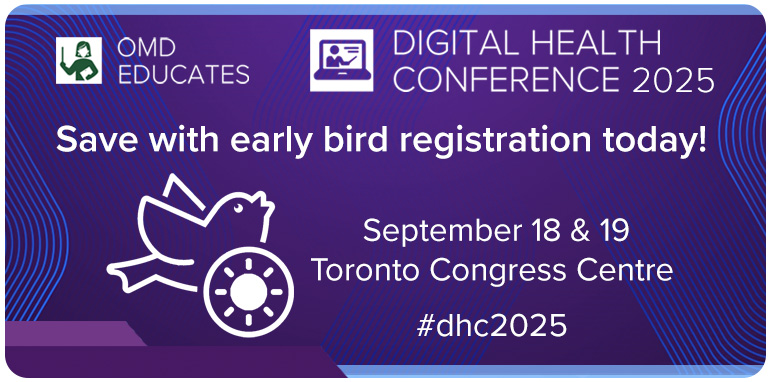
OMD Educates: Digital Health Conference 2025
2025-09-18 - 2025-09-19    
7:00 am - 5:00 pm
Why Attend? This is a one-of-a-kind opportunity to get tips from experts and colleagues on how to use your EMR and other innovative health technology [...]
Charmalot 2025
2025-09-19 - 2025-09-21    
11:00 am - 9:00 pm
This is the CharmHealth annual user conference which also includes the CharmHealth Innovation Challenge. We enjoyed the event last year and we’re excited to be [...]
Civitas 2025 Annual Conference
2025-09-28 - 2025-09-30    
8:00 am
Civitas Networks for Health 2025 Annual Conference: From Data to Doing Civitas’ Annual Conference convenes hundreds of industry leaders, decision-makers, and innovators to explore interoperability, [...]
TigerConnect + eVideon Unite Healthcare Communications
2025-09-30    
10:00 am
TigerConnect’s acquisition of eVideon represents a significant step forward in our mission to unify healthcare communications. By combining smart room technology with advanced clinical collaboration [...]
Pathology Visions 2025
2025-10-05 - 2025-10-07    
8:00 am - 5:00 pm
Elevate Patient Care: Discover the Power of DP & AI Pathology Visions unites 800+ digital pathology experts and peers tackling today's challenges and shaping tomorrow's [...]
Events on 2025-09-09
Events on 2025-09-17
MEDITECH Live 2025
17 Sep 25
MA
Events on 2025-09-18
OMD Educates: Digital Health Conference 2025
18 Sep 25
Toronto Congress Centre
Events on 2025-09-19
Charmalot 2025
19 Sep 25
CA
Events on 2025-09-28
Civitas 2025 Annual Conference
28 Sep 25
California
Events on 2025-10-05
Articles

Step by Step Instructions to Train Physicians for Epic EMR

most physicians
Read More

An electronic medical record, or EMR, give health care providers the opportunity to keep track of a patient’s medical information. Computer programs, such as Epic, are used to manage patient EMRs in healthcare facilities and doctors’ offices. Multiple healthcare providers can access EMRs simultaneously. This allows doctors to consult with each other regarding a patient’s condition and prevents delays that would occur if only one copy of the patient’s information was available.

Instructions

1. Teach physicians how to collect the information needed to create an EMR for a patient. Information such as a patient’s medical history, medication list and allergies are needed to create an EMR. Provide the doctor with a list of questions to ask patients in order to gather the necessary information. Show physicians where to write down and keep the information collected. This is beneficial for those who are unable to enter the information into the EMR immediately after it is collected.

2. Provide physicians with instructions on how to log onto the Epic program. Assign each doctor his own user ID and password that will grant him access to the system. Explain how to create new EMR files. Also, instruct them how to open existing files. Show the physician how to open each section of the EMR by clicking on the appropriate information field.

3. Show the doctor how to enter the patient information into the appropriate section of the EMR. Explain what information is to be entered into each section. For example, the patient’s medical history section may be divided into two categories, one for medical conditions and one for surgical procedures. Provide instructions on how to click on the appropriate section and enter the patient information manually or by scanning information into the system.

4. Give each physician the opportunity to practice using the Epic EMR program prior to use in the facility. Provide examples of the information needed to create an EMR. Allow the doctor to practice accessing the system and entering the information into the correct field. Review the practice EMR files to assure the physician knows how to use the system properly. Offer advice or tips how to make the process fast and efficient such as taking time after each patient to dictate information that will be later entered into the system.


5. Teach the doctor how to save the EMR. Explain how to create a filename for the EMR. Show them how to save the file on both the computer and backup system. Advise them to save the information entered into the system after each section is completed. This prevents the loss of all of the information entered should a problem with the program occur while in use. Provide instructions on how to delete existing files that are no longer needed.
