






















There are many myths about the use of voice recognition. In the mid-1990s clinicians began using voice recognition with their EMR systems, but they weren’t very accurate for medical records.
 Systems weren’t always able to distinguish from background noise and had difficulty with accents.
Voice recognition systems have come a long way since then and will save clinicians considerable time.
Built In Voice Recognition
The newest computers, devices and operating systems have voice recognition capabilities built in, and most people don’t even know it.
If the computer was built after 2011, voice recognition is built in whether it’s a PC or a Mac, and can be integrated with the In Touch EMR™ software.
Practitioners using an EMR with cloud computing are ready for In Touch EMR™.
One EMR, Multiple Devices
In Touch EMR™ can be used with an iPad, Android tablet, computer or laptop. In Touch EMR can be implemented on Windows, Apple and Android operating systems.
In the beginning, practitioners may feel uncomfortable or self-conscious using voice recognition capabilities.
Clinicians who have never used an EMR before may want to use a computer or laptop when they first begin using voice recognition.
Laptops and computers provide practitioners with the flexibility to type or use their voice when documenting patient records.
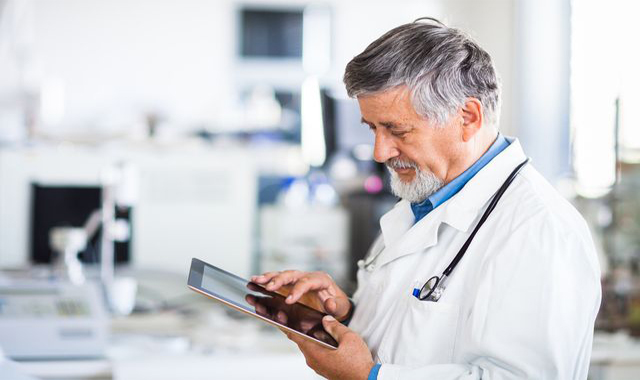
For clinicians who are familiar with EMR usage, have little background noise, and are in a semi-private setting, an iPad or other tablet makes sense.
Clinicians can combine voice recognition and typing for documentation.
Implementing In Touch EMR software on mobile devices means practitioners attain greater portability, but typing will be compromised due to smaller screen size.
Accelerated Productivity
Combining the use of voice recognition with In Touch EMR™ increases the speed at which patient documentation can be recorded for increased productivity.
Voice recognition dramatically decreases the time and cost associated with transcription and billing processes.
In In Touch EMR, Practitioners can dictate notes, edit, make referrals, document the entire patient encounter, and monitor follow up measures simply by talking.
It’s much easier, faster and efficient to speak than write/type.
In Touch EMR™ provides the means for clinicians to work more efficiently and quickly complete claims for billing.
Voice recognition capabilities allow clinicians to streamline all the office processes, document faster and spend more time with patients.


